







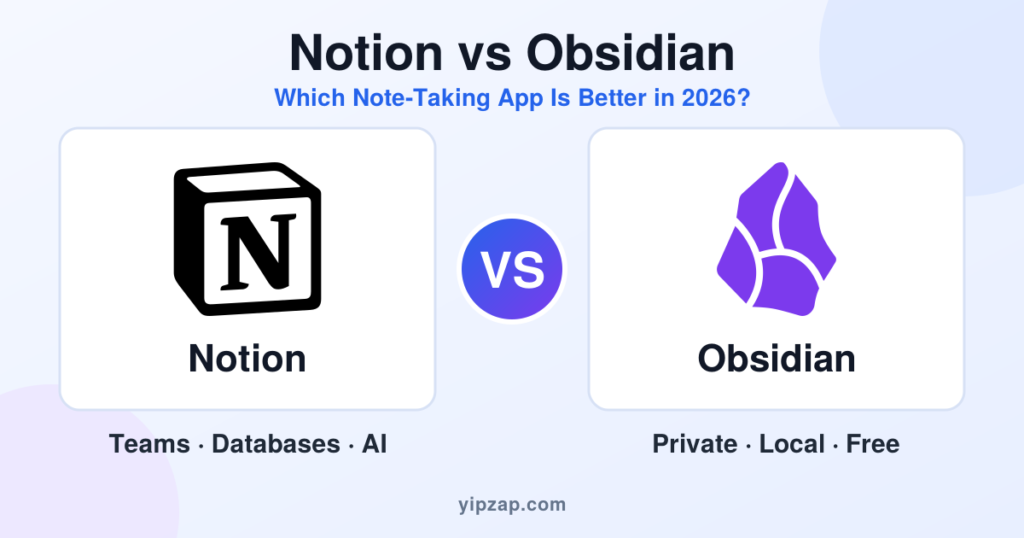
Notion vs Obsidian: Notion is the better pick if you want an all-in-one workspace with databases, team sharing and built-in AI. Obsidian is the better pick if you want a fast, private, free note-taking app that stores your notes as plain files on your own device. Here is the full 2026 comparison of features, price, privacy, AI, sync and use cases.
Choosing between Notion and Obsidian is one of the most common questions in the note-taking and productivity world. Both apps are popular with students, writers, developers and remote teams. Both can hold your ideas, projects and daily tasks. But they work in very different ways, and picking the wrong one can cost you hours of setup and a messy move later.
In this guide, we compare Notion vs Obsidian side by side. We cover pricing in USD, features, offline use, privacy, AI tools, collaboration, plugins and learning curve. By the end, you will know which note-taking app fits your work best in 2026.
What Is Notion?
Notion is a cloud-based workspace that combines notes, documents, databases, wikis, task lists and project boards in one place. You build pages out of “blocks,” which can be text, images, tables, checklists, embeds or even whole databases. Notion started in 2013 and has grown into one of the best-known productivity tools for individuals and companies.
The big idea behind Notion is flexibility. You can turn a blank page into a study planner, a content calendar, a CRM, a company handbook or a personal journal. Ready-made templates make the first setup easy, and the Notion web app, desktop app and mobile apps all stay in sync through the cloud.
What Is Obsidian?
Obsidian is a note-taking app built around plain-text Markdown files. Your notes live in a folder on your own computer or phone, called a “vault.” The app does not lock your content inside a company database. If Obsidian disappeared tomorrow, your notes would still open in any text editor.
Obsidian is known for backlinks, the graph view and a huge community plugin library. Backlinks let you connect notes with simple links, and the graph view shows how your ideas link together. This makes Obsidian a favorite for researchers, writers, students and anyone who builds a personal knowledge base, often called a “second brain.”
Notion vs Obsidian at a Glance
| Feature | Notion | Obsidian |
|---|---|---|
| Best for | Teams, projects, databases, wikis | Personal notes, research, knowledge base |
| Where notes are stored | Notion cloud | Your device, as Markdown files |
| Core app price | Free plan, paid from $10 per member/month (billed yearly) | Free for personal and commercial use |
| Offline use | Available, but cloud-first | Works fully offline by design |
| Databases and tables | Excellent, core feature | Available, but simpler |
| Backlinks and graph view | Basic linking | Excellent, core feature |
| Real-time team editing | Yes, built in | Limited, needs Sync or extra setup |
| Plugins | Integrations and connections | Large community plugin library |
| Built-in AI | Yes (full AI on Business plan) | No built-in AI, available through plugins |
| Learning curve | Easy to start, deep to master | Simple to start, takes time to customize |
Notion vs Obsidian: Features Compared
1. Note-taking and writing
Obsidian feels like a fast, focused writing tool. You type in Markdown, and your notes open instantly because they sit on your device. Notion also handles writing well, with headings, toggles, callouts and slash commands, but pages can feel heavier because everything loads from the cloud.
2. Databases and project management
This is where Notion shines. You can build tables, boards, calendars, timelines and galleries from the same data, then filter and sort them in seconds. Students use this for assignment trackers, and companies use it for sprint boards and content calendars. Obsidian can now show note properties in table-style views, but it does not match the depth of Notion databases.
3. Linking ideas and building a knowledge base
This is where Obsidian wins. Every note can link to any other note, and Obsidian shows which notes link back to it. The graph view then turns your notes into a visual map. If you do deep research, write books or study complex subjects, this connected style helps you see patterns that a folder structure hides.
4. Plugins and customization
Obsidian has a large library of community plugins. You can add calendars, task managers, spaced repetition, kanban boards and much more. You can also change themes, fonts and layouts to match your taste. Notion offers fewer visual options, but it connects with many popular apps and has an API for developers.
5. Templates and ease of setup
Notion has a big template gallery, so you can start with a ready-made planner or wiki in minutes. Obsidian also supports templates, but you usually set up your own system. Beginners often feel at home faster in Notion. Power users often prefer the control they get in Obsidian.
6. Search and organization
Both apps have strong search. Notion organizes content with pages, sub-pages and databases. Obsidian uses folders, tags, links and properties. If you like clear structure, Notion feels natural. If you like loose, connected notes, Obsidian feels natural.
Notion vs Obsidian Pricing in 2026
Price is a big reason people switch, so here is the cost breakdown in US dollars. Prices were checked in November 2026 and can change, so confirm them on each official pricing page before you pay.
Notion pricing
- Free: $0. Good for personal use, with limited page history and smaller file uploads.
- Plus: $10 per member per month when billed yearly, or about $12 when billed monthly.
- Business: $20 per member per month when billed yearly, or about $24 when billed monthly. This plan includes full Notion AI and longer page history.
- Enterprise: custom pricing for large companies.
Notion charges per member, so the cost grows with your team. A team of five on the Plus plan pays about $50 per month on yearly billing. Students and educators can get the Plus plan free.
Obsidian pricing
- Obsidian app: free for personal use and also free for commercial use. No account is needed.
- Obsidian Sync (optional): starts at about $4 per month when billed yearly, or $5 when billed monthly. A higher Sync Plus tier costs about $8 per month on yearly billing.
- Obsidian Publish (optional): about $8 per site per month when billed yearly, or $10 when billed monthly.
- Commercial license (optional): $50 per user per year to support development. It is not required.
- Catalyst (optional): a one-time supporter purchase starting around $25.
The core Obsidian app costs nothing. You can also sync your vault for free by using a cloud folder you already own, though the setup is less smooth than the paid Sync service.
Price winner: Obsidian, especially for solo users. For a team that needs shared pages, Notion’s per-member price buys a lot of ready-made collaboration.
Privacy, Offline Use and Data Ownership
This is the biggest difference between the two apps.
Obsidian is local-first. Your notes are plain files on your device. You control where they go, and you can back them up anywhere. The optional Sync service adds end-to-end encryption, so even the company cannot read your synced notes. Obsidian also works fully offline, with no loading screens.
Notion is cloud-first. Your content lives on Notion’s servers, which makes sharing and device switching easy. Notion has added offline access, but the app is still built around being online. If you handle sensitive notes, such as private journals, legal drafts or unpublished research, Obsidian gives you more control.
You can export your data from Notion in formats such as Markdown, CSV, HTML and PDF. Still, moving a large workspace with linked databases out of Notion takes effort. Moving out of Obsidian is simple, because the files are already open Markdown.
AI Features: Notion AI vs Obsidian AI Plugins
AI is now a big part of note-taking apps.
Notion includes built-in AI that can summarize pages, write drafts, answer questions about your workspace, fill database fields and help you search. Notion now bundles full AI into its Business plan instead of selling it as a separate add-on, so anyone who wants the complete AI experience should plan for that tier.
Obsidian does not ship with a built-in AI assistant. Instead, community plugins let you connect your notes to AI models, including models that run locally on your own computer. This approach gives you more privacy and control, but it takes more setup than flipping a switch in Notion.
AI winner: Notion for ease of use. Obsidian for privacy and customization.
Teamwork and Collaboration
Notion was built for sharing. You can invite teammates, comment on pages, assign tasks, set permissions and edit together in real time. Guests can view or comment without taking up a paid seat on most plans. For startups, agencies, schools and remote teams, this is a major advantage.
Obsidian is mainly a personal tool. You can share a vault through Obsidian Sync or a shared folder, but live co-editing is not its strength. If your main goal is team collaboration, Notion is the safer choice.
Notion vs Obsidian: Pros and Cons
Notion
Pros
- All-in-one workspace for notes, tasks and wikis
- Powerful databases and multiple views
- Strong real-time team collaboration
- Large template library
- Built-in AI tools
- Works on web, desktop and mobile
Cons
- Cloud-first, so less private
- Can feel slow with very large workspaces
- Full AI needs the higher-priced plan
- Cost grows with every team member
- Harder to export complex setups
Obsidian
Pros
- Free core app, even for work
- Notes stay on your device in open Markdown files
- Fast and works offline
- Excellent backlinks and graph view
- Huge plugin and theme library
- Optional end-to-end encrypted sync
Cons
- Steeper setup for beginners
- Weak real-time team features
- No built-in AI assistant
- Databases are less powerful
- Sync and Publish cost extra
Who Should Use Notion and Who Should Use Obsidian?
Choose Notion if you:
- Work with a team or share pages with clients
- Want one place for notes, projects, calendars and databases
- Like ready-made templates and a clean visual layout
- Want built-in AI help and don’t mind paying for a higher tier
- Run a small business, agency, classroom or startup
Choose Obsidian if you:
- Mainly take notes for yourself
- Care about privacy and owning your files
- Do research, write long content or study complex topics
- Love linking ideas and seeing how they connect
- Want a free app that works offline and loads instantly
Can you use both?
Yes, and many people do. A common setup uses Notion for team projects, shared docs and task boards, and Obsidian for private notes, research and long-term learning. If you try both, you can find out in a week which one fits your habits.
Notion vs Obsidian: Final Verdict
There is no single winner, because the two apps solve different problems.
Pick Notion when you need teamwork, databases and an all-in-one workspace. Pick Obsidian when you want private, fast, free notes and a connected knowledge base that you fully own.
If you are a student or solo creator on a budget, start with Obsidian. If you run projects with other people, start with Notion.
Frequently Asked Questions
Is Obsidian better than Notion?
Obsidian is better for private, personal note-taking and connected research. Notion is better for teams, databases and project management. The best choice depends on how you work.
Is Obsidian free?
Yes. The core Obsidian app is free for personal and commercial use. You only pay if you add optional services such as Sync or Publish, or if you choose to support the developers with a license.
Is Notion free?
Yes. Notion has a free plan that works well for personal use. Paid plans add features such as longer page history, bigger file uploads and, on the Business plan, full AI.
Which is better for students, Notion or Obsidian?
Both work well. Students who want planners, assignment trackers and group projects often like Notion, and Notion’s Plus plan is free for students. Students who want fast, linked study notes often like Obsidian.
Which app is more private?
Obsidian. Your notes stay on your device as plain files, and the optional Sync service uses end-to-end encryption. Notion stores your content in the cloud.
Does Obsidian work offline?
Yes. Obsidian works fully offline because your vault is stored on your device.
Does Notion have AI?
Yes. Notion includes AI tools for writing, summaries, search and database help. Full AI access is part of the Business plan.
Can I move my notes from Notion to Obsidian?
Yes. You can export your Notion pages as Markdown and open them in Obsidian. Simple notes move easily. Complex databases may need cleanup after the move.
Is Notion or Obsidian better for a second brain?
Obsidian is the stronger choice for a “second brain” because of its backlinks, graph view and local files. Notion can also work as a second brain if you prefer databases and structured pages.
Final Thoughts
The Notion vs Obsidian debate comes down to one question: do you want a flexible team workspace in the cloud, or a private knowledge base on your own device? Try the free version of each for a few days, add a few real notes, and notice which one you open without thinking. That is your answer.
Follow YipZap for more tech news, AI tool guides, app comparisons and productivity tips.










1 Comment